Guide
How to record a D&D session
Three setups cover almost every table: a bot in your Discord voice channel, a phone in the middle of a real table, or a screen recorder next to a virtual tabletop. Here is what each one records, what it costs, and where the file ends up.
Published by RollSummary. Meet Julio Cesar, the developer.
Nobody remembers session twelve by session thirty. The notes you meant to write at 1am did not get written, and the one player who keeps a journal missed that week. A recording is the only complete record of what your table actually said, and making one costs nothing with tools you already have or can add in two minutes.
We build a tool that turns that recording into notes, so we have an obvious stake in you pressing record. Nothing below depends on it. Every recorder in this guide is somebody else's product, and every limit and price was read from its own documentation in November 2026. Where the official pages did not answer a question, we say so instead of guessing.
Before anything else: ask the table
Recording people without telling them is rude everywhere and against the law in a lot of places. The rules depend on where you and each of your players live, and in some of them every single person on the call has to agree. Craig, the Discord recording bot, puts it bluntly in its own FAQ: recording anyone without their permission is both immoral and illegal. None of this is legal advice, and asking everybody is the version that is safe in every jurisdiction.
Make it a session zero item and repeat it whenever somebody new joins. Say what is being recorded, who will be able to listen to it, what you will do with it, and how long you will keep it. Then take no for an answer. A table where one person is quietly uncomfortable plays worse than a table with patchy notes.
It helps to be specific about the purpose. Most players are relaxed about a recording that exists so the GM can write a recap and then delete it, and much less relaxed about audio that might end up on the internet.
On Discord: Craig
If your table talks in a Discord voice channel, the answer is Craig. It is a free bot that joins the channel and records a separate audio track for each person speaking, with every track delivered in sync. Separate tracks matter more than they sound: when two players talk over each other, each voice is still clean on its own file.
The free tier records up to 6 hours and keeps the recording for 7 days. You start it by joining a voice channel and typing /join, stop it with /stop, and the person who started the recording gets a direct message with the download link. If the message goes missing, /recordings brings the link back. While it is running Craig adds [RECORDING] to its nickname, which is the only notice the channel gets, so it does not replace telling people.
Downloads come as FLAC or AAC, or as a ready-made Audacity project or Adobe Audition session. There is no MP3 export: the FAQ tells you to convert the FLAC yourself. One command worth knowing is /note, which drops a timestamped note into the recording, handy for marking the moment the party finally opened the vault.
The paid tiers run through Patreon. $1 a month extends storage to 14 days and adds cloud backup to Google Drive, OneDrive, or Dropbox. $4 a month raises the limit to 24 hours of recording and 30 days of storage. $8 a month adds transcripts in WebVTT, SRT, and plain text. Craig records voices only, so it will not capture a livestream's video or sound.
Discord itself has no way to record a whole voice channel. The closest built-in feature is Clips, which saves at most the last two minutes, is in early access for Nitro members, and only works on Windows.
In person: the phone you already own
Around a real table the recorder is already in your pocket. On an iPhone, Voice Memos records with one tap and exports a standard .m4a file through Share and then Save to Files. On a Pixel, Google's Recorder app takes up to 18 hours in a single recording and can share the audio file or a text transcript. Most other Android phones ship with a voice recorder of their own.
Placement beats hardware. Put the phone in the middle of the table, closer to the quiet players than to the loud one, and lift it off the wood: a folded cloth or a book under it stops every dice roll arriving as a thump. Plug it in, because a four hour recording is hard on a battery.
Then stop the phone from interrupting itself. Apple's own guide notes that Voice Memos stops recording if another app starts playing audio, so turn on Do Not Disturb or airplane mode and leave the phone alone until the session ends. Record thirty seconds before everyone sits down and listen back once. It is the cheapest test you will ever run.
A big table is the one case where buying something helps. One phone hears six people around a long table unevenly, and a second phone at the far end, or a USB conference microphone in the middle, fixes more than an expensive studio microphone pointed at the GM.
On a virtual tabletop or a video call
Neither Foundry VTT nor Roll20 documents a built-in way to record session audio. We searched both sets of official docs in November 2026 and found voice and video chat, and nothing that saves it. So you record wherever the voices are. If the table talks in Discord while the map sits in Foundry or Roll20, use Craig and ignore the tabletop.
Video calls are less generous than they look. Google Meet only offers recording on paid Workspace editions and on Google One plans with 2 TB or more. Microsoft Teams requires a business or education licence for both the organiser and the person recording. Check your own plan before you count on either.
The tool that works everywhere is OBS Studio, which is free and open source. It records whatever your computer plays and whatever your microphone hears, and in its advanced output mode it can keep up to six separate audio tracks, so table chat, music, and your own voice do not have to be mixed together. OBS's guide recommends recording to MKV, because an MKV file survives a crash that would corrupt an MP4, and then converting with File and Remux Recordings.
OBS records video by default, which makes very large files. If all you want is the conversation, export the audio afterwards or keep the video resolution low.
What makes a recording usable later
You are probably not going to listen to four hours of your own game again. The recording is raw material for a transcript or a recap, and the things that help a machine hear your table are the same ones that help a person.
Keep background music out of the recording or keep it quiet, since a tavern playlist under every sentence costs more accuracy than any microphone gains. Say an important name clearly once when it first comes up. Invented names are where every transcriber stumbles, and one clean pronunciation gives it a fair chance.
Leave the recording running through the breaks rather than stopping and starting. One long file is easier to handle than five fragments, and the tangent about pizza is easy to skip later.
What to do with the file
A recording nobody opens is a backup, not notes. The useful step is turning it into text, and then into something shorter than the text. Our guide to transcribing a D&D session covers the free and paid ways to do the first half yourself.
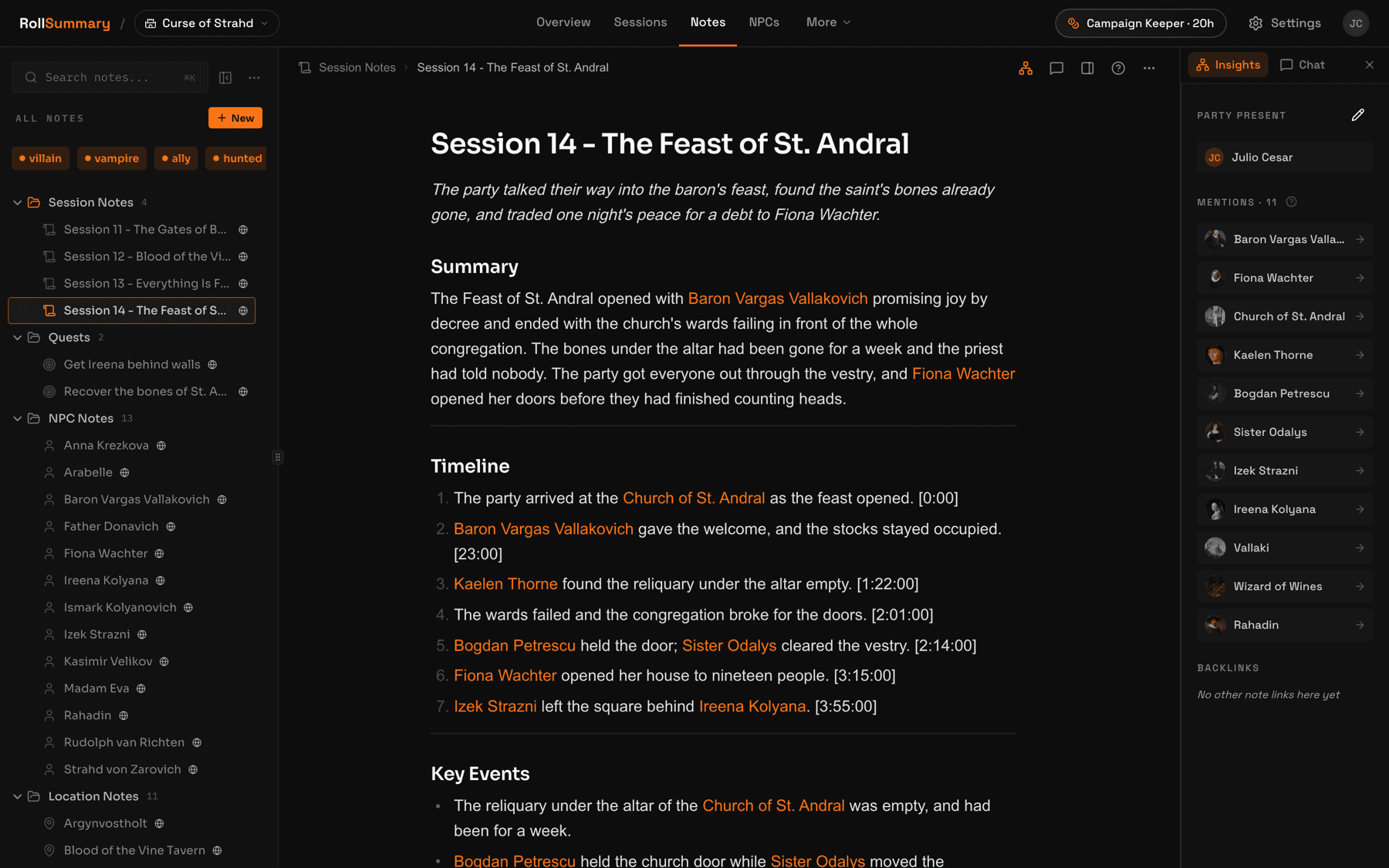
RollSummary does both halves. You upload the audio or video from the night you played: MP3, WAV, OGG, M4A, MP4, MKV, MOV, or WebM, up to 1 GB, converted to a compact audio format in your browser before it leaves your machine. Back comes a transcript with speaker labels and timestamps, a structured recap, and a wiki note for each person, place, and plot thread, all of it waiting for your approval before anything becomes canon. A four hour session takes about ten minutes.
One practical note for Discord tables. Craig gives you one track per speaker and RollSummary takes one file per session, so mix the tracks down first. Opening Craig's Audacity project and exporting a single MP3 or M4A is the quickest way.
Pick by where your table sits
Six lines, one of which is your table. Read down until you find it.
- Everyone is in a Discord voice channel: Craig, free, up to 6 hours a recording.
- The map is on Foundry or Roll20 and the voices are on Discord: still Craig. Record where the audio is, not where the tokens are.
- You play around a real table: the voice recorder on your phone, in the middle, off the wood, plugged in.
- You play on a video call, or you want the map on screen as well as the voices: OBS Studio.
- Your Discord sessions run past 6 hours: Craig's $4 tier records up to 24, or stop and restart at the dinner break.
- Somebody at the table said no: do not record. Hand-written notes still work, and so does every note-taking app that does not need audio.
Whichever you pick, do a one minute test recording before the session that matters. Almost every lost recording is a setup mistake that a test would have caught.
Four ways to record, side by side
Entry price is the cheapest way to record a full session. Every figure was read from the tool's own site or support pages in November 2026.
| Tool | Entry price | Best for | Notes from a recording | Export |
|---|---|---|---|---|
| Craig | Free, up to 6 hours | Any table that talks in Discord | None free. Transcripts on the $8 tier | FLAC or AAC, one track per speaker |
| Voice Memos (iPhone) | Free with the phone | In-person tables | Transcript on iPhone 12 or later | .m4a |
| Recorder (Pixel) | Free with the phone | In-person tables, up to 18 hours | On-device transcript | Audio file or .txt transcript |
| OBS Studio | Free, open source | Video calls and virtual tabletops | None | MKV, remuxed to MP4 |
Questions GMs actually ask
Is it legal to record a D&D session?
It depends on where you and each of your players live. Some places only need one person on the call to consent, others need everybody, and an online table can span several of them at once. The version that works everywhere is to ask every player before you record and to stop if anyone says no. This is general information, not legal advice.
How long can Craig record on Discord?
Up to 6 hours per recording on the free tier, kept for 7 days. The limits are the same however many people are talking. The $4 a month Patreon tier raises that to 24 hours of recording and 30 days of storage, and the $1 tier extends storage to 14 days without changing the length limit.
Does Discord have a built-in way to record a voice channel?
No. As of November 2026 Discord's help centre documents no feature that records a whole voice channel. Clips is the closest and it saves 30 seconds, 60 seconds, or 2 minutes at a time, is in early access for Nitro members, and runs only on Windows. A recording bot such as Craig is the practical route.
Can I record a session on Roll20 or Foundry VTT?
Not with either tool on its own. Their official documentation covers voice and video chat and describes no session recording. Record the audio where it actually lives instead: Craig if the table talks on Discord, or OBS Studio on your own computer if the voices come through the tabletop or a video call.
Do I need a special microphone for an in-person game?
Usually not. A phone in the middle of the table, raised off the surface and plugged in, is enough for a transcript and a recap. A long table with six or more people is where a second phone or a USB conference microphone earns its place, because distance from the microphone hurts a recording far more than the microphone's price helps it.
How big is a four hour recording?
It depends on the format. Compressed audio at 128 kbps works out to about 58 MB an hour, so roughly 230 MB for four hours. Lossless FLAC is several times larger, and a video recording from OBS can run to many gigabytes. For notes, a compressed audio file is all you need.
What do I do with the recording afterwards?
Turn it into text and then into notes. You can transcribe it yourself with free tools, or upload it to a service that returns a recap. RollSummary takes the audio or video file and gives back a transcript, a structured recap, and linked wiki notes that you review before they are saved. The first session is free and needs no card.
Every limit and price on this page was read in November 2026. Limits and prices move, so check the source before you rely on one: craig.chat, craig.chat/faq, craig.chat/supporter, Discord Clips, obsproject.com, Apple: export a Voice Memos recording, Google: Recorder on Pixel, Google Meet recording, Microsoft Teams recording, Foundry VTT audio and video, Roll20 voice and video.
Keep reading
- How to transcribe a D&D session
The next step: free local Whisper, meeting transcribers, speech APIs, and what each does with four hours of crosstalk.
- D&D session recap tools compared
Every tool that turns the recording into a recap or a wiki, compared on input, price, and export.
- The best D&D note-taking apps
For tables that cannot or will not record: eight tools, including the ones you type into yourself.
- RollSummary pricing
Session hours, storage, and what the free first session actually includes.
Try it on your next session
Record the next night you play, with whichever setup above fits your table, and upload the file. The first session is free, there is no card, and every note waits for your approval before it becomes canon.
We don't train on your sessions. Audio is deleted after processing unless you choose to keep it.